Tag: time management

  • Maximizing Your Productivity with a Menstrual Flow Tracker

    Maximizing Your Productivity with a Menstrual Flow Tracker

    For many women, tracking their menstrual cycle is essential for managing their health and well-being. But did you know that it can also be a powerful tool for maximizing your productivity? By using a menstrual flow tracker, you can better understand your body and its patterns, allowing you to plan and schedule your tasks and activities more effectively. In this blog post, we will discuss how a menstrual flow tracker can help you increase your productivity and provide tips for using it to your advantage.

    Understanding Your Menstrual Cycle

    Before we dive into the benefits of using a menstrual flow tracker, it’s important to have a basic understanding of the menstrual cycle. A typical menstrual cycle lasts around 28 days, but it can vary from person to person. During this time, the body goes through various hormonal changes, causing the uterus lining to thicken in preparation for pregnancy. If pregnancy does not occur, the lining sheds, resulting in menstruation.

    The menstrual cycle is divided into four phases – the menstrual phase, follicular phase, ovulatory phase, and luteal phase. Each phase is characterized by different hormonal changes and physical symptoms. By tracking your menstrual flow, you can gain a deeper understanding of your body’s natural rhythm and use it to your advantage.

    Benefits of Using a Menstrual Flow Tracker

    1. Better Time Management

    One of the key benefits of using a menstrual flow tracker is better time management. By knowing your menstrual cycle, you can plan your tasks and activities accordingly. For example, during your ovulation phase, which occurs around day 14 of your cycle, you are likely to have higher energy levels and increased concentration. This is an ideal time to tackle more challenging tasks or schedule important meetings or presentations. On the other hand, during your menstrual phase, you may experience symptoms such as fatigue and cramps, which can affect your productivity. By planning ahead and scheduling less demanding tasks during this phase, you can avoid feeling overwhelmed and maximize your productivity.

    2. Improved Mood and Well-being

    Hormonal changes during the menstrual cycle can also impact your mood and overall well-being. By tracking your menstrual flow, you can identify patterns and predict when you may experience mood swings or other symptoms. This can help you prepare and take necessary steps to manage your mood, such as practicing self-care or scheduling relaxation activities. By taking care of your mental and emotional well-being, you can improve your overall productivity and performance.

    3. Increased Self-awareness

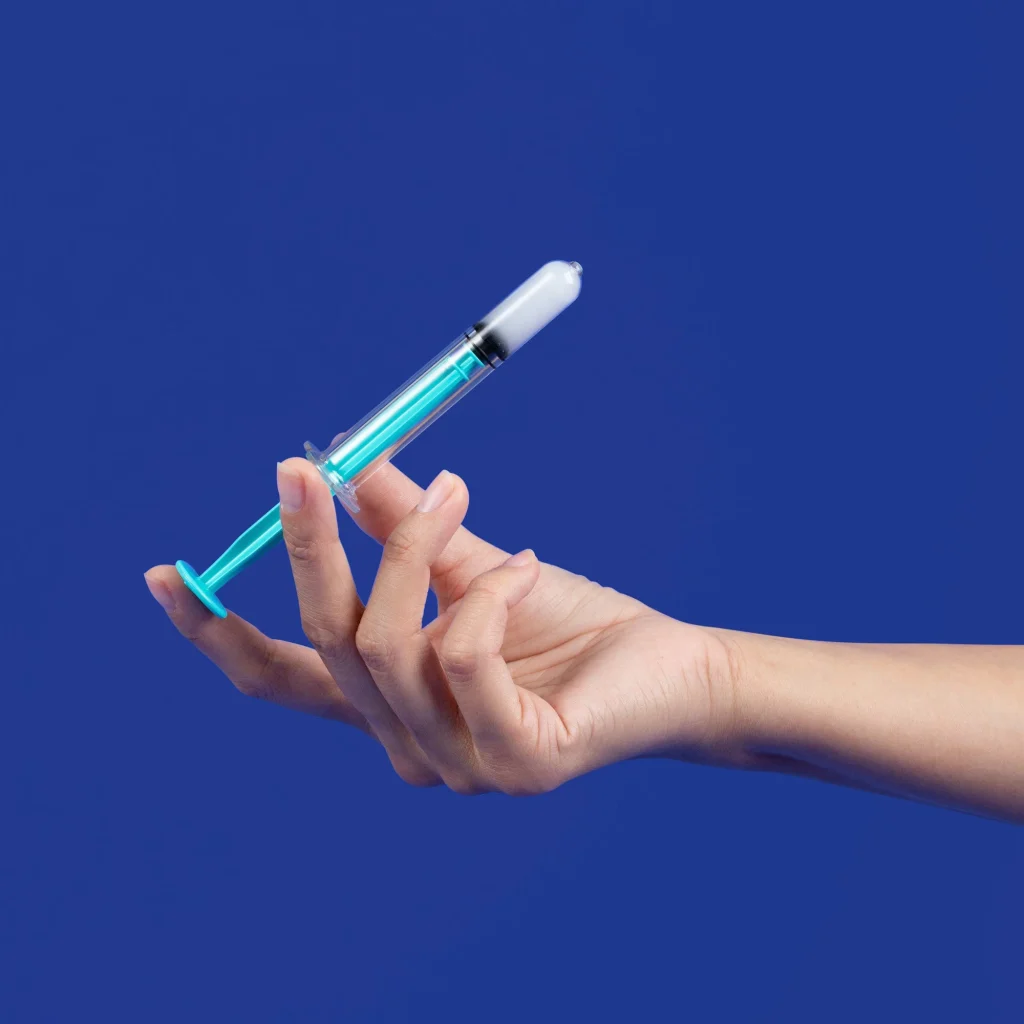
    Hands holding a syringe and a small container against a blue background.

    Maximizing Your Productivity with a Menstrual Flow Tracker

    Tracking your menstrual flow can also increase your self-awareness. By paying attention to your body’s natural rhythms and patterns, you can better understand how your cycle affects your energy levels, mood, and productivity. This self-awareness can help you make informed decisions about your health and well-being, such as adjusting your diet or exercise routine according to your cycle. By taking care of your body’s needs, you can improve your overall health and increase your productivity.

    Tips for Using a Menstrual Flow Tracker to Maximize Productivity

    1. Choose the Right Tracker

    There are various menstrual flow trackers available in the market, from simple period tracking apps to more comprehensive fertility tracking devices. It’s essential to choose a tracker that suits your needs and provides accurate and reliable data. Some popular options include Clue, Flo, and Natural Cycles.

    2. Consistency is Key

    To get the most out of your menstrual flow tracker, consistency is crucial. Make it a habit to update your tracker regularly and record any symptoms or changes you experience during each phase. This will help you identify patterns and make more accurate predictions for the future.

    3. Use Other Productivity Tools

    Your menstrual flow tracker can be used in conjunction with other productivity tools to plan and manage your tasks effectively. For example, you can use a calendar app to schedule important tasks and events according to your menstrual cycle. You can also use productivity apps to set reminders and track your progress.

    4. Listen to Your Body

    While tracking your menstrual flow is beneficial, it’s also essential to listen to your body and give it the rest it needs. If you are feeling fatigued or experience severe symptoms, it’s okay to take a break and prioritize self-care. Remember, your overall well-being should always come first.

    In conclusion, using a menstrual flow tracker can be a powerful tool for maximizing your productivity. By understanding your body’s natural rhythms and patterns, you can plan and schedule your tasks and activities more effectively. With consistency and self-awareness, you can use your menstrual cycle to your advantage and achieve your goals while taking care of your health and well-being.
  • Periods and Productivity: How Your Cycle Can Impact Your Work and Daily Life

    Blog Post Title: Periods and Productivity: How Your Cycle Can Impact Your Work and Daily Life

    Summary:

    Periods, also known as menstruation, is a natural process that occurs in the female reproductive system. It involves the shedding of the uterine lining and is accompanied by various physical and emotional symptoms. While periods are a normal and essential part of a woman’s life, they can also have a significant impact on productivity and daily life.

    In this blog post, we will discuss the relationship between periods and productivity and how understanding your cycle can help you better manage your work and daily tasks. We will also explore the effects of hormones during different phases of the menstrual cycle and provide tips on how to stay productive throughout the month.

    The Menstrual Cycle and Productivity:

    The menstrual cycle consists of four phases: the menstrual phase, the follicular phase, the ovulatory phase, and the luteal phase. Each phase is characterized by changes in hormone levels, which can affect a woman’s physical and emotional well-being.

    The menstrual phase, also known as the period, is the first phase of the cycle. During this time, estrogen and progesterone levels are low, which can lead to fatigue, mood swings, and irritability. These symptoms can impact productivity, making it challenging to focus and complete tasks efficiently.

    The follicular phase begins after the period and is characterized by an increase in estrogen levels. This hormone is responsible for boosting energy levels and improving mood, making this phase the most productive time of the menstrual cycle. It is an excellent time to tackle challenging tasks and projects that require creativity and focus.

    The ovulatory phase occurs mid-cycle when the egg is released from the ovary. Estrogen levels reach their peak during this time, resulting in increased energy levels and a positive mood. This phase is also associated with improved communication and social skills, making it the perfect time for networking and collaborating with others.

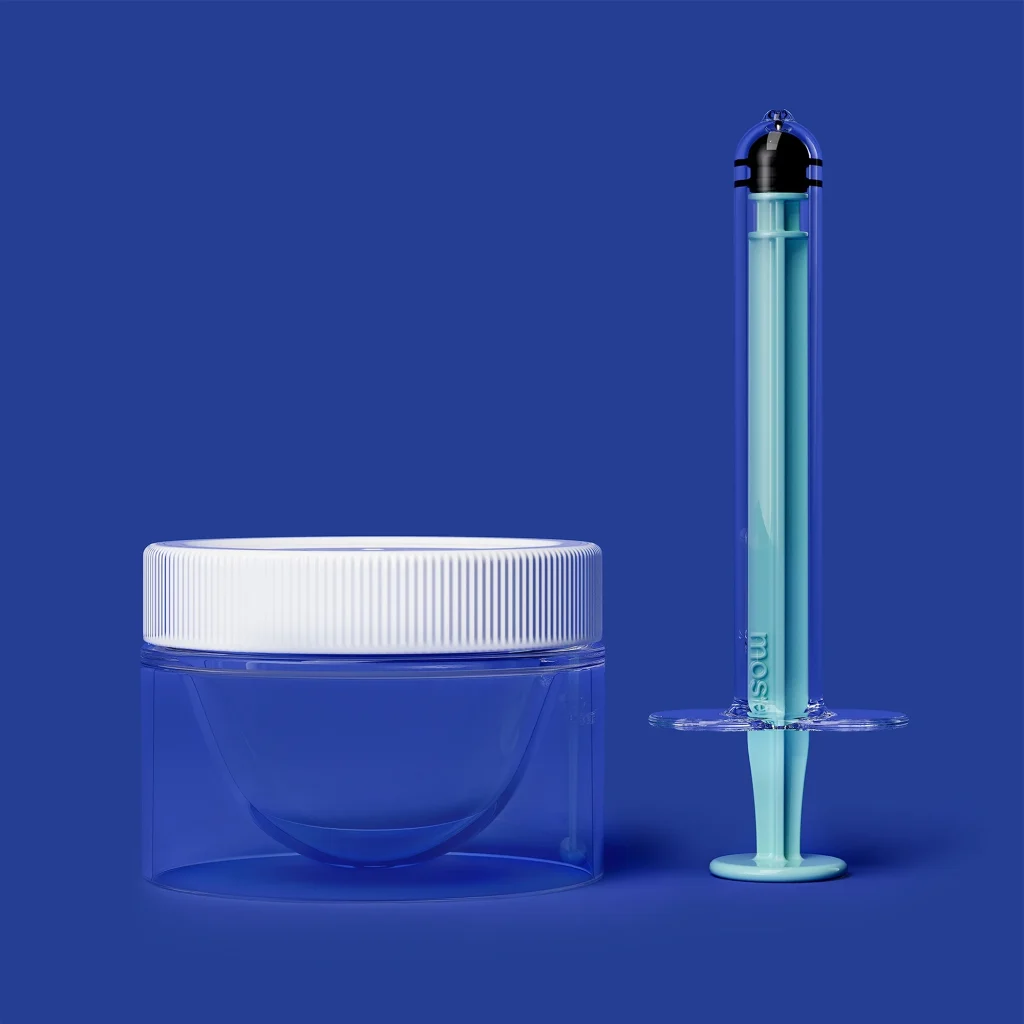
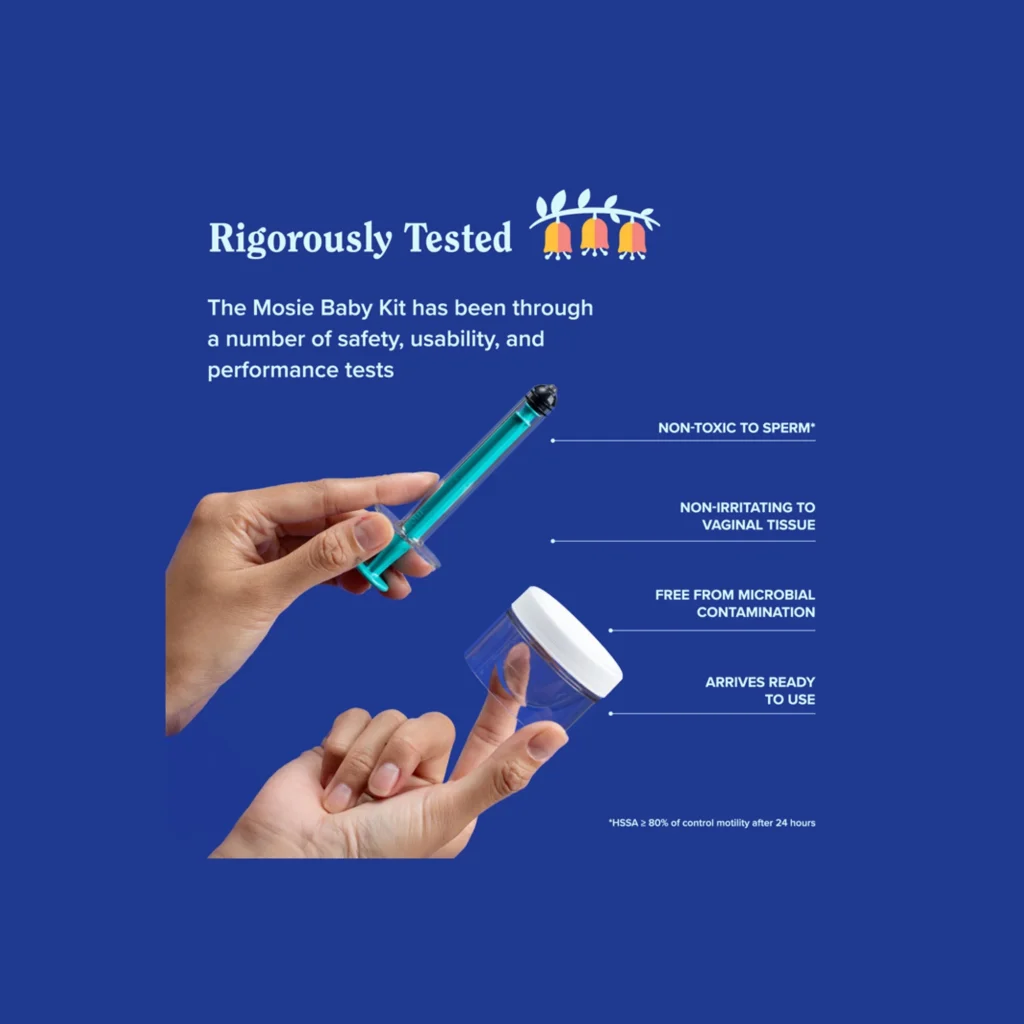
    Mosie Baby Kit with syringe and container, highlighting safety and usability features on a blue background.

    Periods and Productivity: How Your Cycle Can Impact Your Work and Daily Life

    The luteal phase, which occurs after ovulation, is the final phase of the cycle. Progesterone levels increase during this time, which can lead to fatigue and mood swings. These symptoms can make it challenging to stay productive, but with proper self-care and time management, it is possible to maintain productivity during this phase.

    Tips for Staying Productive During Your Cycle:

    1. Track your cycle: Keeping track of your menstrual cycle can help you anticipate the phases when you may experience low energy or mood swings. This information can help you plan your work accordingly and avoid taking on tasks that require high levels of energy during these times.

    2. Practice self-care: During the menstrual phase, it is essential to practice self-care and prioritize your well-being. This can include getting enough rest, eating nutritious meals, and engaging in relaxing activities such as yoga or meditation. Taking care of yourself can help you feel better and improve productivity.

    3. Adjust your schedule: If possible, try to schedule important tasks and meetings during the follicular or ovulatory phase when your energy levels are at their peak. This can help you maximize your productivity and achieve better results.

    4. Communicate with your team: If you work in a team, it can be helpful to communicate with them about your menstrual cycle. This can help them understand why you may be feeling fatigued or irritable and allow for flexibility in your workload during these times.

    5. Stay active: Regular exercise can help alleviate period symptoms and improve mood and energy levels. Incorporate physical activity into your daily routine, even during the menstrual phase, to boost productivity.

    6. Consider supplements: Certain supplements such as iron, magnesium, and vitamin B6 can help alleviate period symptoms and boost energy levels. Consult with your doctor before taking any supplements to determine the right dosage for you.

    Conclusion:

    Periods are a natural and essential part of a woman’s life, but they can also have an impact on productivity and daily life. By understanding the changes in hormone levels during the menstrual cycle and implementing self-care and time management strategies, it is possible to maintain productivity throughout the month. Remember to track your cycle, prioritize self-care, and communicate with your team to achieve optimal productivity.

  • Period Forecasting for Busy Moms: Juggling Motherhood and Menstruation

    Blog Post:

    Motherhood is a full-time job that comes with its own set of challenges. From taking care of the children, managing household chores, and juggling work, it can be overwhelming for busy moms. On top of that, the unpredictability of menstruation can add more stress and inconvenience to their already busy schedule.

    Period forecasting is a useful tool that can help busy moms plan and manage their menstruation cycle effectively. In this blog post, we will discuss the importance of period forecasting for busy moms and how they can use it to make their lives easier.

    Why Period Forecasting is Important for Busy Moms

    1. Better Time Management

    One of the biggest challenges for busy moms is managing their time effectively. With so many things on their plate, it can be difficult to keep track of their menstrual cycle. Period forecasting allows them to know when their next period is due, so they can plan their schedule accordingly. This way, they can avoid any unexpected surprises and be prepared for their period.

    2. Avoiding Last-Minute Rush

    For busy moms, a last-minute rush can be a nightmare. Imagine having an important meeting or event and suddenly realizing that you got your period. With period forecasting, busy moms can plan ahead and make necessary arrangements. They can stock up on menstrual products, plan their outfits, and even schedule important events around their period.

    3. Managing PMS Symptoms

    Premenstrual syndrome (PMS) can cause a range of physical and emotional symptoms such as mood swings, bloating, and cramps. For busy moms, these symptoms can make their already hectic life even more challenging. Period forecasting can help them prepare for PMS symptoms and make necessary adjustments in their routine. For example, they can plan to have a quiet evening at home if they know they will be experiencing PMS symptoms.

    4. Avoiding Embarrassing Situations

    It’s not uncommon for busy moms to forget about their period due to their busy schedule. This can lead to embarrassing situations, especially if they are caught off guard without any menstrual products. Period forecasting can help them avoid such situations by giving them a heads up on when their period is due.

    5. Tracking Period Irregularities

    Motherhood can bring about many hormonal changes, which can result in irregular periods. Period forecasting can help busy moms track their menstrual cycle and identify any irregularities. This can be helpful in identifying any underlying health issues that may need medical attention.

    mosie syringe kit comparison highlighting patented slit opening for deeper spray versus standard shallow spray.

    Period Forecasting for Busy Moms: Juggling Motherhood and Menstruation

    How to Use Period Forecasting as a Busy Mom

    1. Use a Period Tracking App

    There are many period tracking apps available that can make period forecasting easier for busy moms. These apps allow you to input your previous menstrual cycle data and use that information to predict your next period. They also come with features such as PMS tracking, reminders for upcoming periods, and even fertility tracking for those trying to conceive.

    2. Keep a Menstrual Calendar

    For those who prefer a more traditional method, keeping a menstrual calendar can also be an effective way to forecast your period. You can mark the first day of your period each month and use that information to predict your next period. This method may require a bit more effort, but it can be helpful for those who are not comfortable using period tracking apps.

    3. Consider Birth Control Options

    For busy moms who want more control over their menstrual cycle, birth control options such as hormonal contraceptives can be helpful. These methods can regulate your period and make it more predictable. However, it’s essential to consult with a healthcare professional before starting any birth control method.

    4. Be Prepared for Changes

    While period forecasting can be helpful, it’s essential to remember that it’s not always accurate. Factors such as stress, illness, and changes in lifestyle can affect your menstrual cycle. So, it’s essential to be prepared for any changes and not rely solely on period forecasting.

    5. Stay Mindful of Your Body

    As a busy mom, it can be easy to ignore your body’s signals and push through your daily routine. However, it’s crucial to stay mindful of your body and listen to its needs, especially during your period. If you feel the need to rest or take a break, don’t hesitate to do so. Your body needs time to recharge, and taking care of yourself is essential to managing your period and your overall well-being.

    In conclusion, period forecasting can be a valuable tool for busy moms to manage their menstrual cycle. By using period forecasting, they can better manage their time, avoid last-minute surprises, and plan for PMS symptoms. It’s essential to find a method that works best for you and be prepared for any changes in your menstrual cycle. Most importantly, remember to take care of yourself and listen to your body’s needs.

    Summary:

    Period forecasting can be a helpful tool for busy moms to manage their menstrual cycle effectively. It allows them to plan their time, avoid last-minute surprises, and manage PMS symptoms. Busy moms can use period tracking apps, keep a menstrual calendar, consider birth control options, and stay mindful of their bodies to use period forecasting to their advantage.

  • Planning Ahead: How to Forecast Your Period for Busy Women

    Planning Ahead: How to Forecast Your Period for Busy Women

    As a busy woman, keeping track of your menstrual cycle can be a daunting task. With all the responsibilities and tasks on your plate, it’s easy to forget about your period until it arrives unexpectedly. However, by planning ahead and learning how to forecast your period, you can avoid any surprises and effectively manage your time and schedule. In this blog post, we will discuss the importance of forecasting your period, as well as provide some helpful tips and tools to make the process easier for busy women like you.

    The Importance of Forecasting Your Period

    Forecasting your period involves predicting the approximate date of your next period based on your past cycles. This can be done manually by tracking your menstrual cycle on a calendar or using various period tracking apps. While it may seem like an extra task to add to your already busy schedule, the benefits of forecasting your period are worth the effort.

    First and foremost, forecasting your period can help you plan your life around it. Knowing when your period is expected can help you schedule important events, appointments, and activities accordingly. It can also prevent any last-minute cancellations or rescheduling due to unexpected menstrual symptoms. Additionally, forecasting your period can help you prepare for any potential PMS symptoms, such as mood changes or physical discomfort, by having necessary supplies and self-care routines in place.

    Another significant benefit of forecasting your period is its impact on your productivity. Many women experience changes in energy levels, focus, and motivation during their menstrual cycle. By knowing when your period is approaching, you can plan your work and tasks accordingly. For example, you may choose to schedule important meetings or projects during your most productive days, while reserving lighter tasks for days when you may experience lower energy levels.

    Tips for Forecasting Your Period

    Now that we understand the importance of forecasting your period, let’s dive into some helpful tips to make the process easier for busy women like you.

    1. Start Tracking Your Menstrual Cycle

    At-home insemination kit by Mosie Baby, featuring syringes and collection cups for comfort and convenience.

    Planning Ahead: How to Forecast Your Period for Busy Women

    The first step in forecasting your period is to start tracking your menstrual cycle. This can be done manually by marking the first day of your period on a calendar or using a period tracking app. There are various apps available, such as Clue, Flo, and Period Tracker, which allow you to log your period dates, symptoms, and mood changes. These apps also provide predictions for your upcoming period based on your past cycles.

    2. Pay Attention to Your Body’s Signals

    While tracking your period on a calendar or app is helpful, it’s essential to pay attention to your body’s signals as well. Every woman’s menstrual cycle is unique, and you may experience different symptoms or changes in your body leading up to your period. By being aware of these signals, you can make more accurate predictions and prepare accordingly. Some common signals to look out for include changes in vaginal discharge, breast tenderness, and mood swings.

    3. Consider External Factors

    There are various external factors that can affect your menstrual cycle, such as stress, changes in diet or exercise, and medication use. It’s important to take these factors into consideration when forecasting your period. For example, if you have a stressful month at work, you may experience a delayed or irregular period. By keeping track of these external factors, you can make adjustments to your predictions and plan accordingly.

    4. Use Period Forecasting Tools

    In addition to period tracking apps, there are also tools specifically designed for forecasting your period. These tools use algorithms and data analysis to predict your upcoming period based on your cycle history. Some popular options include Daysy and OvuSense. These tools can be especially helpful for women with irregular or unpredictable periods.

    5. Have a Backup Plan

    Despite your best efforts, your period may still catch you by surprise. That’s why it’s always a good idea to have a backup plan in place. Keep some period products, such as pads or tampons, in your bag or desk at work. You can also have some comfortable outfits and self-care essentials ready in case you experience any unexpected symptoms. Having a backup plan will give you peace of mind and help you manage any surprises that may arise.

    In summary, forecasting your period is a crucial aspect of managing your time, productivity, and overall well-being as a busy woman. By tracking your menstrual cycle, paying attention to your body’s signals, considering external factors, and using helpful tools, you can make accurate predictions and plan your life accordingly. Don’t let your period catch you off guard – take control of your cycle and stay prepared with these tips and tools.

  • Stay Organized and Prepared with 21 Reminder App

    Stay Organized and Prepared with 21 Reminder App

    In today’s fast-paced world, staying organized and prepared is essential for success. With so many tasks and responsibilities to juggle, it’s easy to forget important dates, appointments, and deadlines. That’s where reminder apps come in – they help us stay on top of our to-do lists and ensure that nothing important slips through the cracks. In this blog post, we’ll explore 21 reminder apps that will help you stay organized and prepared in all aspects of your life.

    1. Google Keep
    Google Keep is a simple and user-friendly reminder app that allows you to create notes, to-do lists, and reminders. You can set specific dates and times for your reminders, and they will appear on your phone or computer at the designated time. The app also has a feature that allows you to collaborate and share notes with others, making it a great tool for group projects or shared tasks.

    2. Any.do
    Any.do is a popular reminder app that offers a sleek and modern interface. It allows you to create tasks and set reminders for them, as well as organize your tasks into different categories and lists. One unique feature of Any.do is its “Moment” feature, which reminds you to review your tasks every morning and plan your day accordingly. It also has a voice command feature that allows you to add tasks hands-free.

    3. Todoist
    Todoist is a powerful and versatile reminder app that helps you manage your tasks and projects. It allows you to create tasks and subtasks, set due dates and recurring reminders, and even add comments and attachments to your tasks. With its clean and intuitive interface, Todoist makes it easy to stay organized and on top of your to-do list.

    4. Apple Reminders
    For Apple users, the built-in Reminders app is a great option for staying organized. It allows you to create reminders with due dates and times, as well as add notes and locations to your reminders. You can also set recurring reminders and organize your reminders into different lists. And since it’s connected to your iCloud account, your reminders will sync across all your Apple devices.

    5. Microsoft To Do
    Similar to Apple Reminders, Microsoft To Do is a built-in app for Windows 10 users. It offers a simple and clean interface, with the ability to create tasks, set due dates, and organize your tasks into different lists. You can also add notes and reminders to your tasks, making it a great all-in-one tool for staying organized.

    6. Wunderlist
    Wunderlist is a popular reminder app with a sleek and user-friendly interface. It allows you to create tasks and set due dates and reminders for them. You can also share lists and tasks with others, making it a great option for collaborative projects. One unique feature of Wunderlist is its ability to create subtasks and add notes and comments to your tasks.

    7. Trello
    Trello is a project management tool that can also double as a reminder app. It uses a board and card system to help you organize and prioritize your tasks and projects. You can set due dates and reminders for your cards, as well as add comments and attachments. Trello also offers a collaboration feature, making it a great option for team projects.

    8. Evernote
    Evernote is a popular note-taking app that can also be used as a reminder app. It allows you to create notes and to-do lists, set reminders, and organize your notes into different notebooks and tags. You can also add attachments and voice recordings to your notes, making it a versatile tool for staying organized.

    9. Remember The Milk
    Remember The Milk is a simple and straightforward reminder app that allows you to create tasks and set reminders. It also offers a feature called “Smart Lists,” which automatically organizes your tasks into different categories such as due date, priority, and tags. Remember The Milk also has a search feature that lets you quickly find specific tasks.

    10. Habitica
    Habitica is a unique reminder app that turns your to-do list into a game. You create an avatar and earn points and rewards by completing tasks and building good habits. It also allows you to create recurring reminders and set due dates for your tasks, making it a fun and engaging way to stay organized.

    hand holding a syringe with a blue plunger against a solid blue background

    Stay Organized and Prepared with 21 Reminder App

    11. TickTick
    TickTick is a comprehensive reminder app that offers features such as task management, habit tracking, and a built-in calendar. It allows you to create tasks, set due dates and reminders, and organize your tasks into different lists and folders. TickTick also has a “Pomodoro Timer” feature, which helps you stay focused and productive while working on tasks.

    12. Wrike
    Wrike is a project management tool that also offers reminder and task management features. It uses a task list and subtasks system to help you break down and organize your projects. You can also set due dates and reminders for your tasks, as well as add comments and attachments. Wrike also offers a collaboration feature, making it a great tool for team projects.

    13. Due
    Due is a simple and straightforward reminder app that focuses on helping you remember time-sensitive tasks. It allows you to create reminders with due dates and times, and it will send you persistent notifications until you mark the task as complete. Due also has a feature that allows you to snooze reminders for a specific amount of time.

    14. Calendars by Readdle
    Calendars by Readdle is a calendar app that also offers reminder and task management features. It allows you to create tasks and set due dates and reminders, as well as add notes and attachments to your tasks. You can also view your tasks and events in one convenient view, making it easier to manage your schedule.

    15. 24me
    24me is a personal assistant app that helps you stay organized and on top of your tasks and schedule. It allows you to create tasks and set due dates and reminders, as well as add notes and attachments. One unique feature of 24me is its ability to sync with your contacts, allowing you to easily assign tasks to others.

    16. 30/30
    30/30 is a timer-based reminder app that helps you manage your time and tasks more efficiently. It allows you to create tasks and set a specific amount of time for each task. The app will then notify you when the time is up, allowing you to move on to the next task. 30/30 also offers a Pomodoro Timer feature for better productivity.

    17. FocusList
    FocusList is a reminder app that combines task management with the Pomodoro Technique. It allows you to create tasks and set a specific amount of time for each task, as well as track your progress. The app also offers a feature that blocks distracting websites and notifications while you work on your tasks.

    18. MyLifeOrganized
    MyLifeOrganized is a comprehensive task management and reminder app that helps you break down your tasks and prioritize them. It allows you to create tasks and subtasks, set due dates and reminders, and organize your tasks into different folders and goals. MyLifeOrganized also offers a “Recurring Tasks” feature for tasks that need to be done regularly.

    19. Things
    Things is a task manager and reminder app that offers a clean and intuitive interface. It allows you to create tasks, set due dates and reminders, and organize your tasks into different lists and projects. You can also add notes and tags to your tasks, making it easier to find and manage them.

    20. Pocket Lists
    Pocket Lists is a reminder app that focuses on simplicity and ease of use. It allows you to create tasks and set due dates and reminders, as well as add notes and tags to your tasks. You can also customize the app’s appearance to your liking, making it a personalized tool for staying organized.

    21. Zenkit To Do
    Zenkit To Do is a reminder app that offers features such as task management, habit tracking, and collaboration. It allows you to create tasks and set due dates and reminders, as well as add notes and attachments. You can also view your tasks in different layouts, such as a calendar or Kanban board, making it a versatile tool for staying organized.

    In conclusion, staying organized and prepared is crucial for success, and these 21 reminder apps can help you achieve that. Whether you need a simple and straightforward app or a more comprehensive task management tool, there is an app on this list that will suit your needs. With these apps, you can stay on top of your to-do list, manage your time, and collaborate with others more efficiently. Download one (or a few) of these apps today and see how they can improve your productivity and organization skills.

  • Never Be Caught Off Guard Again with 21 Reminder App

    Blog Post Title: Never Be Caught Off Guard Again with 21 Reminder App

    Do you often find yourself forgetting important tasks or appointments? Do you struggle with managing your schedule and staying on top of your to-do list? You are not alone. In today’s fast-paced world, it’s easy to get overwhelmed and forget things. But fear not, because there is a solution – reminder apps.

    With the development of technology, reminder apps have become an essential tool for many people to stay organized and on track. These apps not only serve as a digital to-do list but also offer various features to help you manage your time efficiently. In this blog post, we will introduce you to 21 reminder apps that will ensure you never get caught off guard again.

    1. Google Keep
    Google Keep is a popular reminder app that allows you to create and organize notes, lists, and reminders. You can set reminders based on time, date, or location, making it a convenient app for managing your tasks and appointments.

    2. Todoist
    Todoist is a powerful task management app that lets you break down your tasks into subtasks, set deadlines, and prioritize them. It also has a feature called “Karma” that tracks your productivity and motivates you to stay on top of your tasks.

    3. Any.do
    Any.do is a simple and user-friendly app that allows you to create tasks, set reminders, and collaborate with others. It also has a voice recognition feature that allows you to add tasks by speaking.

    4. Wunderlist
    Wunderlist is a popular app for managing tasks and to-do lists. It has a clean and intuitive interface, and you can set reminders for tasks, as well as share lists with others for collaborative tasks.

    5. Microsoft To-Do
    Microsoft To-Do is a free app that integrates with Outlook and other Microsoft Office applications. It allows you to create tasks, set reminders, and organize them into different lists.

    6. Trello
    Trello is a project management app that uses a card-based system to track tasks and deadlines. You can set reminders for tasks, assign them to team members, and track their progress.

    7. Evernote
    Evernote is more than just a reminder app – it’s a note-taking and organization tool. You can create notes, set reminders, and organize them into notebooks for easy access.

    8. Remember The Milk
    Remember The Milk is a popular app for managing tasks and reminders. It has features like subtasks, repeating tasks, and location-based reminders. You can also integrate it with other apps like Gmail and Slack.

    9. Habitica
    Habitica is a unique reminder app that turns your tasks and goals into a game. You can earn rewards for completing tasks and build habits by leveling up your character. It’s a fun and motivational way to stay on top of your tasks and goals.

    10. 24me
    24me is a personal assistant app that combines tasks, reminders, and calendar events into one place. It also has a voice recognition feature, and you can use it to make calls, send messages, and pay bills.

    Mosie Baby at-home insemination kit box featuring instructions and details for two attempts.

    Never Be Caught Off Guard Again with 21 Reminder App

    11. Timeful
    Timeful is a smart reminder app that uses artificial intelligence to learn your habits and suggest the best times for you to complete tasks. It also integrates with your calendar and other apps to help you manage your time efficiently.

    12. Calendars 5
    Calendars 5 is a powerful calendar app that also has a reminder feature. You can create tasks, set reminders, and view them alongside your calendar events. It also has a natural language input feature, making it easy to add tasks and events.

    13. TickTick
    TickTick is a simple and efficient app for managing tasks and to-do lists. It has features like subtasks, recurring tasks, and tags for better organization. You can also use it to collaborate with others and share lists.

    14. Things 3
    Things 3 is a beautifully designed app for managing tasks and projects. It has a clean and intuitive interface, and you can set reminders for tasks, as well as organize them into different projects and areas of focus.

    15. Due
    Due is a reminder app that focuses on simplicity and speed. You can quickly set reminders by typing or using Siri, and it has a unique feature called “Auto Snooze” that ensures you never miss a reminder.

    16. Pocket Lists
    Pocket Lists is a versatile app that allows you to create tasks, set reminders, and organize them into different lists and folders. You can also set priority levels and use filters to sort your tasks.

    17. Awesome Note 2
    Awesome Note 2 is a feature-packed app that lets you create notes, to-do lists, and reminders. You can also add photos, videos, and voice recordings to your notes for better organization and visualization.

    18. TimeTree
    TimeTree is a collaborative calendar app that also has a reminder feature. You can create tasks, set reminders, and share them with others, making it a great app for managing group projects and events.

    19. 2Do
    2Do is a powerful app for managing tasks and projects. It has features like subtasks, tags, and smart lists to help you stay organized. You can also use it to set location-based reminders for tasks.

    20. GoodTask
    GoodTask is a task manager that integrates with Apple’s Reminders app. You can use it to set reminders, create subtasks, and organize your tasks into different lists and projects.

    21. Be Focused
    Be Focused is a time tracking and productivity app that also has a reminder feature. You can use it to set reminders for breaks, tasks, and projects, and track your time to improve your productivity.

    With these 21 reminder apps, you can find the one that best suits your needs and preferences. Whether you need a simple to-do list or a comprehensive project management tool, these apps have got you covered. Say goodbye to missed appointments and forgotten tasks – with these reminder apps, you will never be caught off guard again.

    In summary, reminder apps are a useful tool for managing tasks, appointments, and projects. They offer various features like setting reminders, organizing tasks, and collaborating with others. With the abundance of reminder apps available, you can find the perfect one to suit your needs and help you stay organized and on top of your tasks.

  • Simplify Your Life with the 21 Period Reminder App

    Simplify Your Life with the 21 Period Reminder App: A Comprehensive Guide

    In today’s fast-paced world, it’s easy to get overwhelmed and lose track of important tasks and deadlines. We constantly have to juggle work, family, and personal responsibilities, leaving very little time to take care of ourselves. This is where the 21 Period Reminder App comes in. This simple yet powerful app can help you simplify your life and stay on top of your tasks and goals. In this blog post, we will explore the features and benefits of the 21 Period Reminder App and how it can make a positive impact on your daily routine.

    What is the 21 Period Reminder App?

    The 21 Period Reminder App is a productivity and lifestyle app that helps you keep track of important tasks and routines. The concept behind the app is based on the 21-day habit formation theory, which suggests that it takes 21 days to form a new habit. The app allows you to set reminders for tasks or goals that you want to achieve within a 21-day period. It also has a built-in habit tracker that helps you stay motivated and focused.

    Features of the 21 Period Reminder App

    1. Customizable Reminders: The app allows you to set reminders for any task or goal you want to achieve within a 21-day period. You can choose the frequency of the reminders, whether it’s daily, weekly, or on specific days of the week. This feature is particularly useful for those who struggle with remembering important tasks or routines.

    2. Habit Tracking: The app has a built-in habit tracker that helps you stay on track with your goals. You can mark a task as completed once you have achieved it, and the app will keep a record of your progress. This feature is great for monitoring your habits and making improvements over time.

    3. Notes and Reflections: The app also allows you to add notes and reflections to your tasks. This feature is helpful for recording your thoughts and feelings about a particular task or goal. It can also serve as a journal of your progress and help you identify patterns or obstacles that may be hindering your success.

    At-home insemination kit featuring a syringe and collection cup on a blue background.

    Simplify Your Life with the 21 Period Reminder App

    4. User-friendly Interface: The 21 Period Reminder App has a simple and user-friendly interface, making it easy to navigate and use. The design is clean and visually appealing, making it a pleasure to use on a daily basis.

    5. Personalization: The app allows you to personalize your experience by choosing from a variety of themes and colors. You can also add your own images to the app, making it more visually appealing and customized to your liking.

    Benefits of Using the 21 Period Reminder App

    1. Improved Productivity: By setting reminders and tracking your habits, the app can help you improve your productivity. It serves as a constant reminder of the tasks you need to complete, helping you stay focused and on track.

    2. Better Time Management: With the app’s customizable reminders and habit tracking, you can better manage your time and prioritize tasks that are important to you. This can help you achieve a better work-life balance and reduce stress and overwhelm.

    3. Forming Healthy Habits: The 21 Period Reminder App is a great tool for forming healthy habits. By setting reminders for activities such as exercising, drinking water, or meditating, you can create a positive routine that will benefit your overall well-being.

    4. Motivation and Accountability: The app’s habit tracker and reflection feature can serve as a source of motivation and accountability. Seeing your progress and reflecting on your journey can help you stay motivated to achieve your goals.

    5. Simplifying Your Life: Ultimately, the 21 Period Reminder App can help you simplify your life by keeping track of important tasks and creating healthy habits. By streamlining your daily routine, you can free up time and energy to focus on what truly matters to you.

    In conclusion, the 21 Period Reminder App is a powerful tool for simplifying your life and achieving your goals. With its customizable reminders, habit tracker, and personalization options, the app can help you improve your productivity, manage your time better, and form healthy habits. So why not give it a try and see the positive impact it can make on your daily routine.

  • Never Forget Your Flow Again: 21 Reminder App

    Never Forget Your Flow Again: 21 Reminder App

    In today’s fast-paced world, it’s easy to get overwhelmed with the amount of tasks and responsibilities that we have to remember on a daily basis. From work deadlines to doctor appointments, it can be challenging to keep track of everything without missing something important. That’s where reminder apps come in. These handy tools can help us stay organized and on top of our schedules, ensuring that we never forget our flow again. In this blog post, we will introduce 21 reminder apps that can help you manage your tasks and stay on track.

    1. Todoist
    Todoist is a popular reminder app that allows you to create to-do lists, set reminders, and collaborate with others. It syncs across all your devices and has a clean and simple interface that makes it easy to use. You can also set recurring reminders for tasks that you need to do regularly.

    2. Google Keep
    Google Keep is a free reminder app that integrates with your Google account. It lets you create notes, to-do lists, and reminders, and you can also add images and voice notes to your reminders. The app also has a search function that makes it easy to find specific reminders.

    3. Any.do
    Any.do is a comprehensive task management app that allows you to create tasks, reminders, and lists. It has a sleek design and features such as location-based reminders, subtasks, and the ability to share lists with others. The app also integrates with your calendar, making it easy to keep track of all your appointments and deadlines in one place.

    4. Microsoft To Do
    Formerly known as Wunderlist, Microsoft To Do is a simple and intuitive reminder app that can be used on multiple devices. It offers features such as due dates, reminders, and the ability to add notes to tasks. You can also share lists with others and collaborate on tasks.

    5. Remember the Milk
    Remember the Milk is a powerful reminder app that allows you to create tasks, set reminders, and organize your tasks into different categories. It also has a feature called Smart Lists, which automatically organizes your tasks based on criteria such as due date or priority.

    6. Trello
    Trello is a popular project management tool that can also be used as a reminder app. It lets you create boards, lists, and cards to organize your tasks and set reminders for each task. You can also add attachments and collaborate with others on tasks.

    7. Evernote
    Evernote is a note-taking app that also has a reminder feature. You can create notes, add images and voice notes, and set reminders for your notes. The app also syncs across all your devices, making it easy to access your reminders on the go.

    8. Habitica
    Habitica is a unique reminder app that turns your to-do list into a game. You can earn rewards and level up as you complete tasks and build new habits. The app also has a social aspect, allowing you to join groups and compete with friends to stay on top of your tasks.

    9. Habitify
    Habitify is a habit tracking and reminder app that helps you build new habits and break bad ones. You can set reminders for each habit and track your progress over time. The app also offers insights and statistics to help you stay motivated and on track.

    10. Nozbe
    Nozbe is a task management app that lets you create projects, tasks, and reminders. You can also add attachments and delegate tasks to team members. The app also has a feature called Next Actions, which helps you focus on the most important tasks.

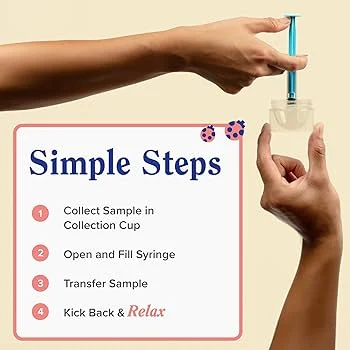
    hands demonstrating steps for using a syringe kit, with instructions listed beside them

    Never Forget Your Flow Again: 21 Reminder App

    11. Toodledo
    Toodledo is a comprehensive task management app that lets you create tasks, set reminders, and organize your tasks into different folders. It also offers features such as subtasks, repeating tasks, and the ability to add notes and tags to your tasks.

    12. TickTick
    TickTick is a simple and intuitive reminder app that allows you to create tasks, set reminders, and organize them into different lists. It also offers features such as location-based reminders, recurring tasks, and the ability to share lists with others.

    13. Doit.im
    Doit.im is a task management app that helps you stay organized and on top of your tasks. It lets you create tasks, set reminders, and organize them into different projects. The app also offers features such as subtasks, tags, and the ability to attach files to tasks.

    14. Due
    Due is a reminder app specifically designed for quick and easy reminders. It allows you to create reminders with just a few taps, and you can also set recurring reminders and customize the app’s interface to your liking.

    15. TimeTune
    TimeTune is a unique reminder app that helps you plan your daily routines and stay on track. It offers customizable routines, reminders, and a timer feature to help you stay focused and productive throughout the day.

    16. 2Do
    2Do is a feature-rich task management and reminder app that offers features such as location-based reminders, natural language input, and the ability to add notes and attachments to tasks. The app also has a clean and customizable interface.

    17. Todo Cloud
    Todo Cloud is a task management app that lets you create tasks, set reminders, and collaborate with others. It also offers features such as subtasks, tags, and the ability to add notes and files to tasks. The app also syncs across all your devices.

    18. Be Focused
    Be Focused is a time management and reminder app that helps you stay focused and productive. You can create tasks and set reminders for each task, and the app also has a Pomodoro timer feature to help you work in focused bursts.

    19. Taskade
    Taskade is a collaborative task management and reminder app that lets you create tasks, set reminders, and collaborate with team members. The app also offers features such as subtasks, tags, and the ability to add notes and attachments to tasks.

    20. Carrot To-Do
    Carrot To-Do is a fun and quirky reminder app that uses humor and rewards to motivate you to complete your tasks. You can set reminders, create lists, and earn points and rewards as you complete tasks.

    21. MyLifeOrganized
    MyLifeOrganized is a comprehensive task management app that offers features such as subtasks, tags, and natural language input. It also has a feature called Smart Lists, which automatically organizes your tasks based on criteria such as priority or due date.

    In conclusion, reminder apps are an essential tool for staying organized and on top of your tasks. With the help of these 21 reminder apps, you can never forget your flow again and manage your tasks with ease. Whether you prefer a simple and intuitive app or a more comprehensive one, there is a reminder app that will suit your needs and help you stay on track.

  • Innovative Period Management: The 21 Reminder App

    Summary:

    In today’s fast-paced world, time management has become a crucial aspect of our daily lives. With the increasing demands of work, personal life, and other responsibilities, it’s easy to feel overwhelmed and struggle to keep track of everything we need to do. This is where technology comes in to help us stay organized and on top of our tasks. One such innovation is the 21 Reminder App, a comprehensive time management tool that has revolutionized the way we approach our daily schedules.

    The 21 Reminder App is a powerful app that combines the features of a calendar, task manager, and reminder system all in one place. It allows users to set custom reminders, create to-do lists, and plan their schedules efficiently. With its user-friendly interface and advanced features, the app has gained popularity among individuals and businesses alike.

    The app’s name, “21 Reminder,” is derived from the concept of the 21-day habit formation rule, which suggests that it takes 21 days of consistent repetition to form a new habit. The app aims to help users develop a habit of effective time management by reminding them of their tasks and schedules every day for 21 days.

    One of the key features of the 21 Reminder App is its ability to sync with other calendars, such as Google Calendar and Apple Calendar. This enables users to have all their appointments and events in one place, making it easier to manage their time effectively. The app also allows users to color-code their tasks and events, making it visually appealing and easier to differentiate between different categories.

    Another innovative feature of the 21 Reminder App is its “focus mode.” In this mode, users can set a specific time duration during which they can block any distractions and solely focus on their tasks. This feature is particularly helpful for individuals who struggle with procrastination or have a hard time staying focused.

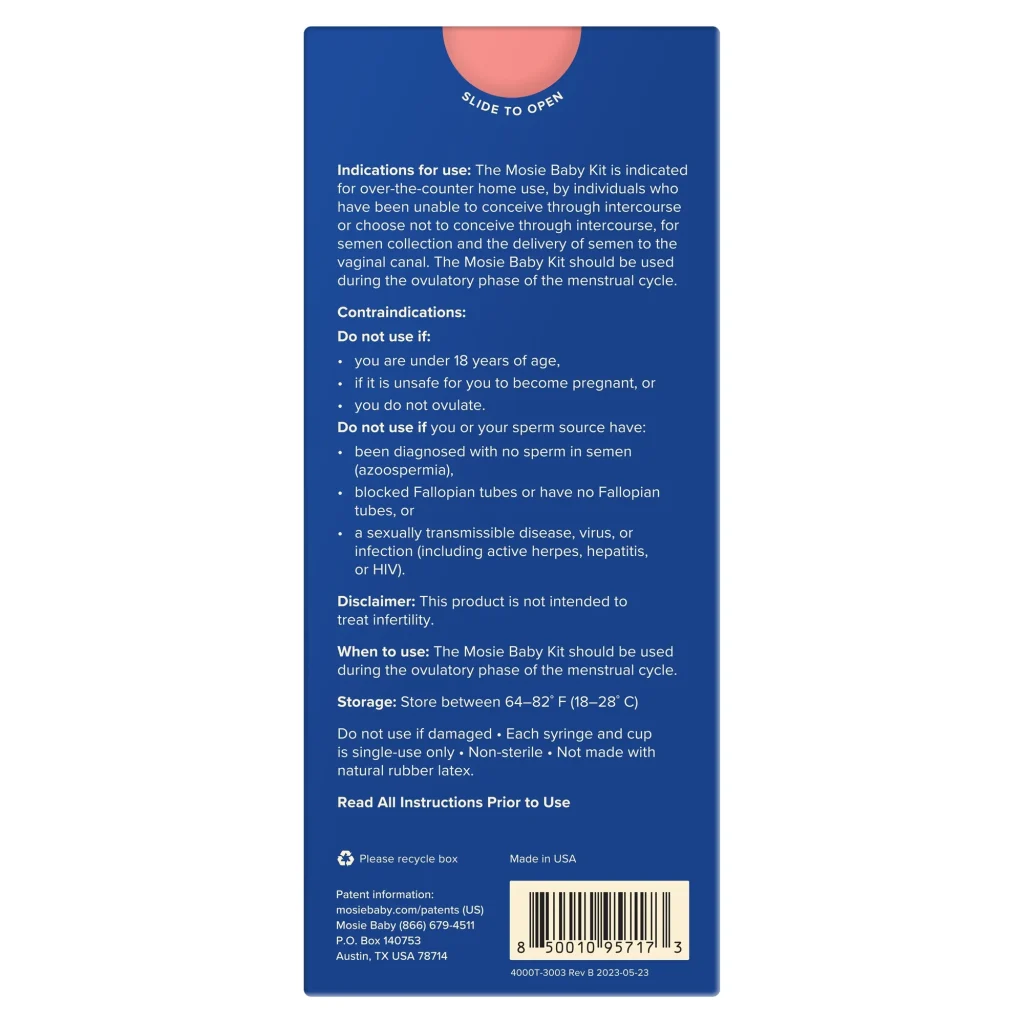
    instructions and warnings for using the Mosie Baby at-home insemination kit

    Innovative Period Management: The 21 Reminder App

    The app also offers a feature called “smart reminders,” where the app automatically suggests the best time to complete a task based on the user’s schedule and priorities. This helps users stay on top of their tasks and avoid the stress of last-minute deadlines.

    Moreover, the 21 Reminder App has a built-in habit tracker that allows users to track their progress on developing new habits or breaking old ones. This feature is beneficial for those who want to incorporate positive changes into their daily routine.

    The app is also equipped with a voice assistant feature that allows users to add tasks and reminders using voice commands. This feature comes in handy for busy individuals who may not have the time to type in their tasks manually.

    Furthermore, the 21 Reminder App has a team collaboration feature, making it a useful tool for businesses and teams. It allows team members to share tasks, deadlines, and schedules, making it easier to coordinate and stay on top of projects.

    In addition to these features, the 21 Reminder App also offers a detailed analytics section, where users can track their productivity and time management habits. This feature provides valuable insights and helps users identify areas for improvement.

    In conclusion, the 21 Reminder App is a game-changer in the world of time management. With its innovative features and user-friendly interface, it has helped individuals and businesses alike to stay organized, productive, and on top of their game. By incorporating the concept of the 21-day habit formation rule, the app aims to help users develop a habit of effective time management, making it a must-have tool for anyone looking to improve their productivity and overall quality of life.

  • The Connection Between Your Menstrual Cycle and Your Productivity

    Blog Post:

    As women, our menstrual cycle has a significant impact on our physical and emotional well-being. But did you know that it also affects our productivity? Yes, you read that right. Our monthly menstrual cycle can have a direct influence on our ability to get things done efficiently. Understanding this connection can help us better manage our time and energy, leading to increased productivity.

    The menstrual cycle is a series of hormonal changes that occur in a woman’s body every month, preparing her for potential pregnancy. This cycle consists of four phases – menstruation, follicular, ovulation, and luteal. Each phase brings about different physical and emotional changes, which can affect our daily lives and productivity.

    Let’s take a closer look at how each phase of the menstrual cycle can impact our productivity and what we can do to manage it.

    1. Menstruation

    The first phase of the menstrual cycle is menstruation, where the lining of the uterus is shed, resulting in bleeding. This phase can last anywhere from three to seven days and is often associated with physical discomforts such as cramps, bloating, and fatigue.

    During this phase, our energy levels may be low, making it challenging to focus and concentrate on tasks. This can lead to decreased productivity, and we may find ourselves feeling unmotivated and unproductive. Additionally, the physical discomforts may also make it difficult for us to engage in physically demanding tasks.

    To manage this phase and maintain productivity, it is essential to listen to our bodies and give ourselves the rest and self-care we need. This may include taking breaks when needed, getting enough sleep, and eating nutritious foods to support our bodies.

    2. Follicular

    The follicular phase begins after menstruation and lasts until ovulation. This phase is characterized by an increase in the production of estrogen, which helps prepare the body for ovulation. During this phase, we may experience a boost in energy levels and a more positive mood.

    This increase in energy can be beneficial for our productivity. We may find ourselves more motivated and focused, making it easier to tackle tasks and projects. It is essential to take advantage of this phase and plan our schedules accordingly, taking on more challenging tasks and projects that require more energy and focus.

    Mosie Baby Kit with syringe and container, highlighting safety and usability features on a blue background.

    The Connection Between Your Menstrual Cycle and Your Productivity

    3. Ovulation

    Ovulation occurs in the middle of the menstrual cycle and is the phase where the ovaries release an egg. This phase lasts for about 24 hours, and during this time, our estrogen levels are at their peak.

    Estrogen is known as the “feel-good” hormone, and during ovulation, it can boost our mood, making us feel more confident and outgoing. This can be beneficial for our productivity as we may be more likely to take on leadership roles and engage in networking opportunities.

    However, some women may experience physical symptoms during ovulation, such as bloating and breast tenderness, which can affect their productivity. It is essential to listen to our bodies and take breaks as needed to manage these symptoms.

    4. Luteal

    The luteal phase is the final phase of the menstrual cycle, beginning after ovulation and lasting until the start of the next menstrual cycle. During this phase, progesterone levels increase, preparing the body for pregnancy. If pregnancy does not occur, progesterone levels drop, and the menstrual cycle begins again.

    This phase can be challenging for productivity as our energy levels may decrease, and we may experience mood swings and irritability due to hormonal changes. This can make it difficult to focus and concentrate on tasks, leading to decreased productivity.

    To manage this phase, it is crucial to practice self-care and manage stress levels. Engaging in relaxation techniques such as meditation or yoga can help reduce stress and improve mood, leading to increased productivity.

    In conclusion, our menstrual cycle can have a significant impact on our productivity. By understanding the different phases and how they affect us, we can better manage our time and energy. It is crucial to listen to our bodies, practice self-care, and make adjustments to our schedules to accommodate these changes. By doing so, we can harness the power of our menstrual cycle and use it to our advantage for increased productivity.

    Summary:

    The menstrual cycle consists of four phases – menstruation, follicular, ovulation, and luteal – and each phase brings about different physical and emotional changes that can affect our productivity. During menstruation, our energy levels may be low, and we may experience physical discomforts, leading to decreased productivity. The follicular phase brings an increase in energy levels, making it easier to focus and concentrate. Ovulation can boost our mood and confidence, but some women may experience physical symptoms that can affect productivity. The luteal phase can be challenging as energy levels decrease, and mood swings may occur. Understanding these changes and utilizing self-care can help manage productivity during each phase.